
+91-98883-58887

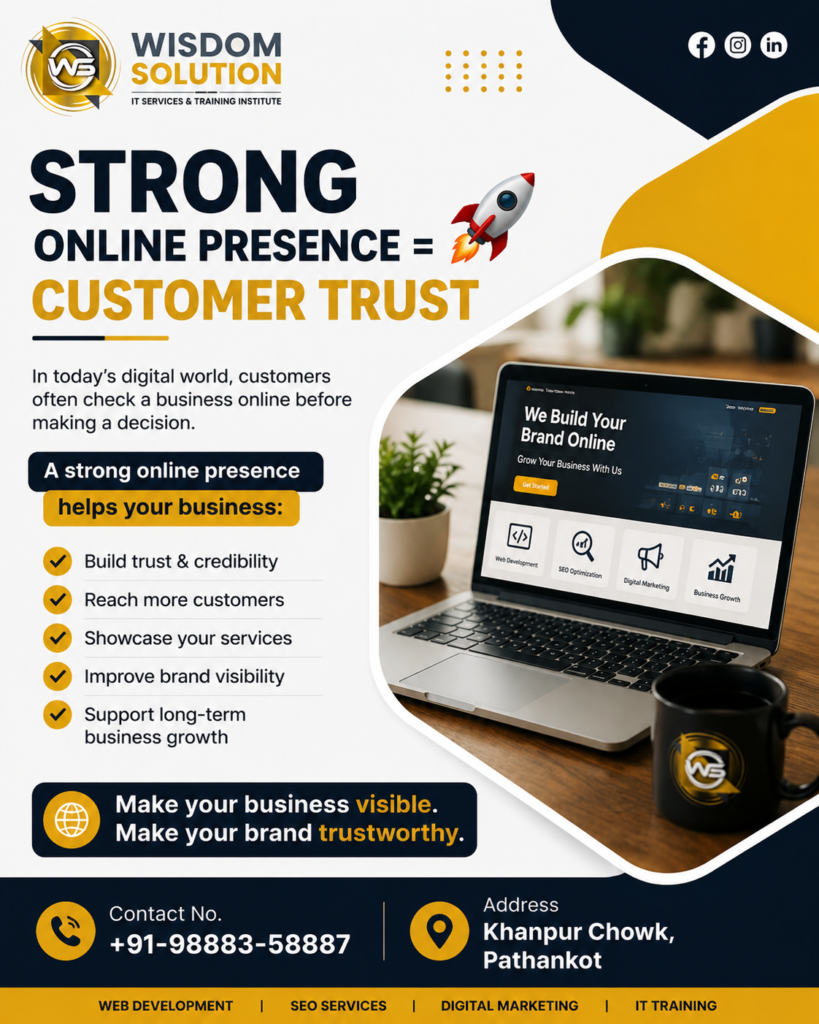
Strong Online Presence: Build Customer Trust

Wisdom Solution strong online presence and customer trust in Pathankot

Introduction

In today’s digital world, customers often search online before deciding whether to buy a product or contact a business. Your website, social media profiles, online reviews, and search engine presence can strongly influence their first impression. A strong online presence helps businesses appear professional, reliable, and accessible to potential customers.

Whether you run a small local business or a growing company, building trust online is essential for attracting new customers and maintaining long-term relationships.

What Is an Online Presence?

An online presence is the way your business appears across the internet. It can include your website, Google Business Profile, social media accounts, online reviews, business directories, blogs, and search engine results.

A professional and consistent digital presence makes it easier for customers to find your business and understand what you offer. It also gives potential customers useful information before they make a purchasing decision.

Why Customer Trust Matters

Customer trust is one of the most important factors behind business growth. People are more likely to purchase from a company when they believe it is genuine, professional, and dependable.

A strong online presence can help communicate these qualities through:

  • Professional website design
  • Clear business information
  • Customer reviews and testimonials
  • Helpful and informative content
  • Active social media profiles
  • Secure and easy-to-use websites
  • Consistent branding

When customers find accurate and professional information across different online platforms, they are more likely to feel confident about your business.

1. Build a Professional Business Website

Your website is often one of the first places customers visit to learn about your company. A clean, responsive, and easy-to-navigate website can immediately improve your credibility.

Your website should clearly display your services, contact information, business details, customer reviews, and important information about your company. It should also work smoothly on smartphones, tablets, and desktops.

For businesses looking to improve their website, professional web development services can help create a modern and user-friendly digital experience.

2. Provide Accurate Business Information

Customers want quick answers when researching a business online. Make sure your business name, phone number, email address, location, working hours, and services are accurate and consistent.

Incorrect or outdated information can create confusion and reduce customer confidence.

3. Use Customer Reviews and Testimonials

Online reviews provide social proof. Positive feedback from previous customers can help new visitors feel more comfortable choosing your business.

Encourage satisfied customers to leave genuine reviews and respond professionally to both positive and negative feedback. This shows that your business values customer opinions.

4. Maintain Active Social Media Profiles

Social media allows businesses to communicate directly with their audience. Regularly sharing useful information, company updates, products, services, and customer experiences can make your brand more approachable.

You do not necessarily need to be active on every platform. Instead, focus on the social networks where your target customers are most likely to spend time.

5. Publish Helpful Content

Content marketing can demonstrate your knowledge and expertise. Blog articles, guides, FAQs, videos, and educational posts can answer customer questions before they contact your business.

For example, businesses can publish content related to their services, industry trends, frequently asked questions, and solutions to common customer problems.

You can also explore digital marketing services to develop a strategy for improving your visibility across search engines and digital channels.

6. Improve Your Search Engine Visibility

Customers need to find your business before they can interact with it. Search engine optimization (SEO) helps improve your website’s visibility when people search for relevant products and services.

A well-optimized website with useful content, relevant keywords, clear navigation, and technically sound pages can attract more qualified visitors.

7. Keep Your Branding Consistent

Your logo, colors, messaging, images, and business information should remain consistent across your website and social media profiles.

Consistent branding helps customers recognize your company and creates a more professional appearance.

8. Make Security a Priority

Website security also influences customer confidence. Use HTTPS, keep your website software updated, protect customer information, and provide secure forms and payment systems where required.

When visitors feel that their information is handled responsibly, they are more likely to interact with your business.

9. Respond to Customers Professionally

Online communication is an important part of customer service. Respond to messages, comments, questions, and reviews in a timely and professional manner.

Helpful communication demonstrates that your business is available and willing to support its customers.

10. Keep Your Online Presence Updated

An outdated website or inactive social media account can make a business appear less reliable. Regularly update your services, contact information, blog content, offers, images, and business profiles.

A strong online presence is not something you create once and forget. It requires continuous improvement and regular communication with your audience.

How Technology Can Support Business Growth

Technology provides businesses with many opportunities to improve their customer experience and expand their reach. Website development, SEO, social media marketing, automation, cloud solutions, and AI-powered tools can help businesses work more efficiently and connect with customers.

For companies planning their digital growth strategy, Wisdom Solution provides technology and digital solutions designed to support modern business needs.

Conclusion

Building customer trust takes time, consistency, and transparency. A professional website, positive reviews, accurate information, useful content, active social media, and strong search visibility can all contribute to a more trustworthy brand.

Ultimately, a strong online presence gives customers more reasons to discover, understand, and trust your business. By continuously improving your digital channels and focusing on customer needs, you can strengthen credibility and create opportunities for sustainable business growth.

Contact No. – +91-98883-58887

Address – Khanpur Chowk, Pathankot.

Follow us on our Social Media Platform:

Instagram

Facebook

Twitter

Read More

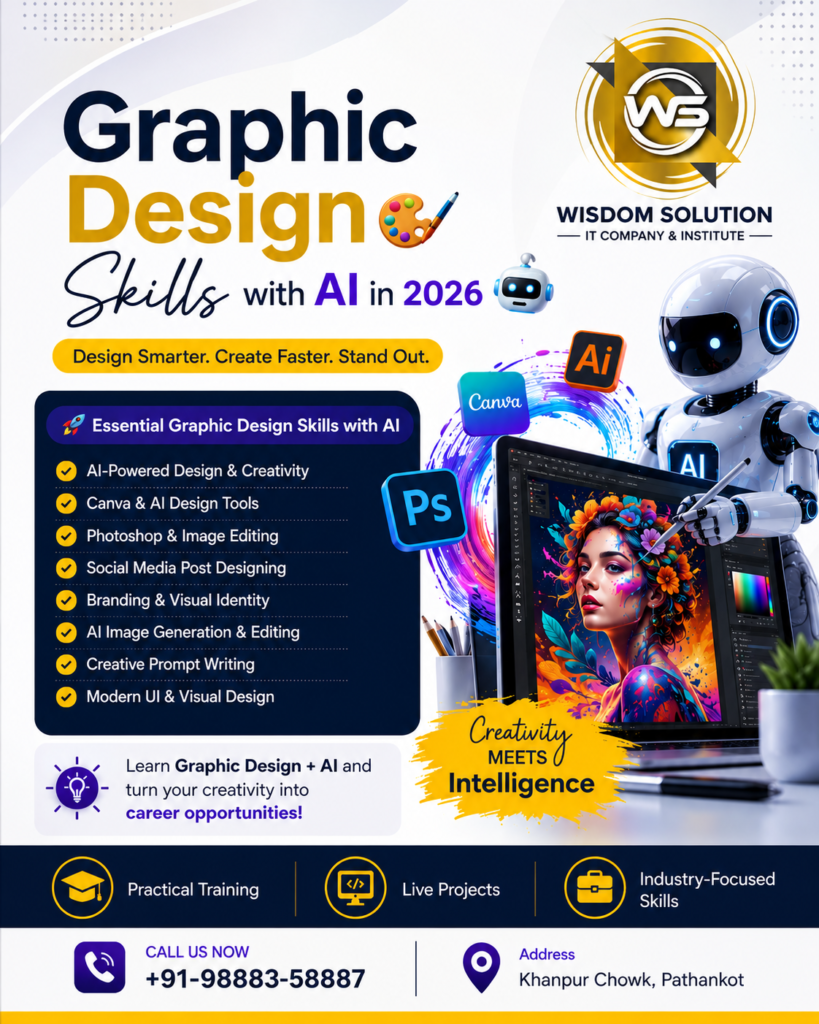
Graphic Design Skills with AI in 2026

Graphic Design Skills with AI in 2026 at Wisdom Solution, Pathankot.

Introduction

Graphic Design Skills with AI in 2026 are becoming increasingly valuable for students, freelancers, marketers, and creative professionals. AI tools can help designers generate ideas, create visual concepts, remove backgrounds, edit images, and produce designs more efficiently.

At Wisdom Solution, Pathankot, students can learn essential graphic design concepts along with modern AI tools and practical design techniques. This combination can help beginners build creative skills and prepare for real-world design projects.

What Is Graphic Designing with AI?

Graphic designing with AI combines traditional design principles with artificial intelligence tools. Instead of replacing creativity, AI can help designers speed up repetitive tasks and explore more design ideas.

AI can assist with:

  • Design ideas
  • Image generation
  • Background removal
  • Image editing
  • Social media graphics
  • Presentations
  • Marketing materials
  • Creative concepts

Graphic Design Skills with AI to Learn in 2026

Learning the right Graphic Design Skills with AI in 2026 can help beginners develop both creative and technical abilities.

1. Design Fundamentals

Before using AI tools, students should understand basic graphic design principles such as:

  • Color theory
  • Typography
  • Layout
  • Composition
  • Contrast
  • Alignment
  • Visual hierarchy
  • Branding

These fundamentals help designers create visually balanced and professional designs.

2. Canva and AI Design Tools

Canva is a popular platform for creating social media posts, presentations, banners, flyers, and other visual content.

Students can learn:

  • Canva basics
  • Templates
  • Brand kits
  • Social media designs
  • Presentations
  • AI-assisted design features
  • Image editing
  • Background removal

3. AI Image Generation

AI image-generation tools can help designers create visual concepts from text descriptions.

Students can learn how to:

  • Write effective image prompts
  • Generate design concepts
  • Create backgrounds
  • Experiment with visual styles
  • Create marketing visuals
  • Improve creative workflows

4. AI-Powered Image Editing

AI can make many image-editing tasks faster.

Important skills include:

  • Background removal
  • Object removal
  • Image enhancement
  • Image resizing
  • Image restoration
  • Smart editing
  • Photo retouching

5. Social Media Graphic Design

Social media is an important area for graphic designers. Students can learn how to create:

  • Instagram posts
  • Facebook posts
  • LinkedIn graphics
  • YouTube thumbnails
  • Promotional banners
  • Stories and reels covers
  • Advertisement creatives

AI can help generate ideas and variations while the designer maintains control over the final design.

6. Branding and Visual Identity

Graphic designers should understand how businesses create a consistent visual identity.

Students can learn:

  • Logo concepts
  • Brand colors
  • Typography selection
  • Business cards
  • Social media branding
  • Marketing materials
  • Brand consistency

7. Prompt Writing for Designers

One of the useful Graphic Design Skills with AI in 2026 is learning how to write effective prompts.

A good prompt can describe:

  • Subject
  • Style
  • Colors
  • Composition
  • Background
  • Lighting
  • Image dimensions
  • Target audience

Better prompts can help designers explore more relevant creative concepts.

Benefits of Learning Graphic Design with AI

Combining graphic design knowledge with AI tools can help you:

  • Generate ideas faster
  • Save time on repetitive tasks
  • Create multiple design concepts
  • Improve productivity
  • Explore new creative styles
  • Create social media content
  • Develop marketing materials
  • Build a professional portfolio

AI should be treated as a creative assistant while the designer remains responsible for design decisions, originality, and quality.

Who Can Learn Graphic Design with AI?

This training can be useful for:

  • Students
  • Beginners
  • Freelancers
  • Digital marketers
  • Social media managers
  • Content creators
  • Business owners
  • Entrepreneurs
  • Graphic designers

No advanced programming knowledge is required to begin learning graphic design and AI-based design tools.

Learn Graphic Design with AI at Wisdom Solution

Wisdom Solution in Pathankot provides practical IT and digital skills training for students and beginners. Learners can develop their design knowledge through practical assignments and projects while exploring modern AI tools.

Students can also explore related Digital Marketing Training at Wisdom Solution and other career-focused IT programs.

For additional learning resources, designers can explore Canva and Adobe for graphic design and creative tools.

Career Opportunities

After developing graphic design and AI skills, learners can explore opportunities such as:

  • Graphic Designer
  • Social Media Designer
  • Creative Designer
  • Digital Marketing Designer
  • Content Creator
  • Freelance Graphic Designer
  • Brand Designer
  • AI-Assisted Designer

Building a strong portfolio with different types of projects can help demonstrate practical skills to clients and employers.

Conclusion

Learning Graphic Design Skills with AI in 2026 can help students and creative professionals work more efficiently while developing modern design abilities. Design fundamentals, Canva, AI image generation, image editing, branding, social media design, and prompt writing are useful skills to develop.

At Wisdom Solution, Pathankot, students can learn graphic design concepts and explore AI-powered tools through practical training and project-based learning.

Contact No. – +91-98883-58887

Address – Khanpur Chowk, Pathankot.

Follow us on our Social Media Platform:

Instagram

Facebook

Twitter

Read More

Prompt Engineering Training in Pathankot

Prompt Engineering Training in Pathankot at Wisdom Solution with AI tools and practical training.

Introduction

Prompt Engineering Training in Pathankot is a practical way for students and professionals to learn how to use AI tools effectively. Wisdom Solution provides AI training focused on prompt writing, generative AI, ChatGPT, Gemini, Claude, content creation, marketing, research, coding assistance, and productivity.

What Is Prompt Engineering?

Prompt engineering is the process of creating clear and effective instructions for AI tools. A well-structured prompt provides the AI with the right context, instructions, and expected output.

For example, instead of simply asking an AI tool to “write an article,” you can provide information about the topic, audience, writing style, word count, and desired format.

Prompt Engineering Training in Pathankot: AI Prompting Skills

The Prompt Engineering Training in Pathankot program focuses on practical AI prompting skills. Students can learn:

  • Writing clear AI prompts
  • Providing useful context
  • Using roles and instructions
  • Creating structured prompts
  • Improving AI responses
  • Generating different content formats
  • Using AI for productivity
  • Checking and refining AI-generated content

ChatGPT and Generative AI Tools

Students can learn how to use popular generative AI tools for different tasks.

These may include:

  • ChatGPT
  • Google Gemini
  • Claude
  • AI writing tools
  • AI productivity tools

Students can practice using AI for content creation, brainstorming, summarization, research assistance, coding support, and business tasks.

Practical Prompt Engineering Training

Practical exercises are an important part of learning AI prompting. Students can create prompts for:

  • Blog writing
  • Social media content
  • SEO content
  • Email writing
  • Business ideas
  • Website content
  • Coding assistance
  • Research
  • Presentations
  • Data analysis

These exercises help learners understand how changing the structure of a prompt can influence the quality and format of an AI response.

Who Can Join Prompt Engineering Training?

The training can be useful for:

  • Students
  • Freshers
  • Content writers
  • Digital marketers
  • SEO professionals
  • Web developers
  • Freelancers
  • Business owners
  • Teachers
  • Beginners interested in AI

No advanced programming knowledge is required to learn basic prompt engineering. However, knowledge of a specific field can help you apply AI more effectively.

Benefits of Prompt Engineering Training in Pathankot

Learning AI prompting can help students and professionals:

  • Save time on repetitive tasks
  • Generate ideas quickly
  • Improve content creation
  • Assist with research
  • Increase productivity
  • Create better AI instructions
  • Explore AI-based workflows
  • Improve existing professional skills

Prompt engineering becomes even more useful when combined with digital marketing, web development, SEO, graphic design, or business management.

Learn AI Prompting at Wisdom Solution

Wisdom Solution in Pathankot provides practical IT and technology training for students and professionals. The AI prompting program focuses on understanding generative AI tools and applying effective prompting techniques to real-world tasks.

You can also explore Web Development Training in Pathankot and other career-focused programs offered by Wisdom Solution.

For additional information about generative AI concepts, learners can explore Google’s AI resources.

Career Opportunities After Prompt Engineering Training

AI prompting skills can support careers and workflows in many areas, including:

  • AI-assisted content creation
  • Digital marketing
  • SEO
  • Web development
  • Business automation
  • Freelancing
  • Content strategy
  • AI-assisted research
  • Productivity management

Learning AI tools alongside another professional skill can help create more practical career opportunities.

Conclusion

AI is changing the way people work, learn, and create content. Learning effective prompting techniques can help students and professionals use AI tools more efficiently.

With Prompt Engineering Training in Pathankot, learners can develop practical AI prompting skills and understand how to use generative AI tools for content, marketing, research, coding, and productivity.

Wisdom Solution provides a practical learning environment for students and professionals who want to develop useful AI skills and explore modern technology.

Contact No. – +91-98883-58887

Address – Khanpur Chowk, Pathankot.

Follow us on our Social Media Platform:

Instagram

Facebook

Twitter

Read More

Front-End Development Skills in 2026

Front-End Development Skills 2026 course at Wisdom Solution, Pathankot.

Introduction

Front-End Development Skills in 2026 are important for students who want to start a career in web development. Front-end development focuses on creating the design, layout, and interactive features that users see on a website.

At Wisdom Solution in Pathankot, students can learn front-end development through a simple and practical syllabus covering HTML, CSS, JavaScript, responsive design, and basic website projects.

Simple Front-End Development Syllabus

1. HTML

Students first learn HTML to create the basic structure of websites.

Topics:

  • HTML Introduction
  • Basic HTML Tags
  • Headings & Paragraphs
  • Links & Images
  • Lists & Tables
  • Forms
  • HTML5 Semantic Tags

2. CSS

CSS is used to design and style web pages.

Topics:

  • CSS Introduction
  • Selectors
  • Colors & Backgrounds
  • Fonts & Text
  • Margin & Padding
  • Borders
  • Box Model
  • Flexbox
  • CSS Grid
  • Basic Animations

3. Responsive Web Design

Students learn how to make websites work properly on different screen sizes.

Topics:

  • Responsive Design
  • Media Queries
  • Mobile-Friendly Layouts
  • Flexible Images
  • Responsive Navigation
  • Desktop, Tablet & Mobile Design

4. JavaScript

JavaScript adds functionality and interaction to websites.

Topics:

  • JavaScript Introduction
  • Variables
  • Data Types
  • Operators
  • Conditions
  • Loops
  • Functions
  • Arrays
  • Objects
  • Events
  • DOM Manipulation
  • Form Validation

5. Bootstrap

Bootstrap helps students create responsive websites faster.

Topics:

  • Bootstrap Introduction
  • Containers
  • Rows & Columns
  • Buttons
  • Cards
  • Navbar
  • Forms
  • Responsive Classes

6. Git & GitHub Basics

Students can learn basic version control for managing website projects.

Topics:

  • Git Introduction
  • Repository
  • Commit
  • Push & Pull
  • Branches
  • GitHub Basics

7. Website Projects

Practical projects help students apply their Front-End Development Skills in 2026.

Students can create:

  • Personal Portfolio Website
  • Business Website
  • Landing Page
  • Restaurant Website
  • Blog Website
  • Product Website
  • Responsive Website

Skills You Can Learn

After completing the syllabus, students can develop skills in:

  • HTML
  • CSS
  • JavaScript
  • Bootstrap
  • Responsive Web Design
  • Git & GitHub
  • Website Design
  • Basic UI Development
  • Website Project Development

These Front-End Development Skills in 2026 can provide a strong foundation for further learning in React, advanced JavaScript, and full-stack development.

Who Can Join?

The course can be suitable for:

  • Beginners
  • College Students
  • BCA Students
  • B.Tech Students
  • Diploma Students
  • Freshers
  • Students interested in Web Development

No advanced programming knowledge is required to start with the basic front-end syllabus.

Learn Front-End Development at Wisdom Solution

Wisdom Solution in Pathankot provides practical IT training for students and beginners. The front-end syllabus is designed to help learners understand website development step by step, from basic HTML to JavaScript and practical projects.

Students can also explore related Web Development Training in Pathankot and other career-oriented IT courses at Wisdom Solution.

Conclusion

Learning Front-End Development Skills in 2026 can help students build a strong foundation for a career in web development. A simple syllabus covering HTML, CSS, responsive design, JavaScript, Bootstrap, Git, and practical projects can help beginners learn step by step.

With regular practice and project development, students can improve their skills and prepare for internships, jobs, freelance projects, and advanced web development courses.

Contact No. – +91-98883-58887

Address – Khanpur Chowk, Pathankot.

Follow us on our Social Media Platform:

Instagram

Facebook

Twitter

Read More

Web Development Internship in Pathankot

Web Development Internship in Pathankot at Wisdom Solution with practical training and live projects.

Introduction

Looking for a Web Development Internship in Pathankot? Wisdom Solution provides practical, career-focused training where students can learn web development through hands-on practice and live project training. The internship helps students understand how professional websites are planned, designed, developed, tested, and maintained.

Web development is a valuable IT skill because businesses increasingly need professional websites and online platforms. Practical internship experience can help students improve their technical knowledge, build projects, and prepare for future career opportunities.

Why Choose a Web Development Internship in Pathankot?

A Web Development Internship in Pathankot can give students an opportunity to move beyond classroom theory and practice their skills on real-world projects.

During the internship, students can learn:

  • HTML and website structure
  • CSS and responsive web design
  • JavaScript fundamentals
  • Front-end development
  • WordPress website development
  • Basic database concepts
  • Website testing and debugging
  • Website optimization
  • Project planning and development

Practical assignments can also help students understand how developers convert business requirements into functional websites.

Web Development Internship at Wisdom Solution

Wisdom Solution offers practical web development training for students, freshers, and beginners who want to develop industry-relevant skills. The training focuses on practical learning, project assignments, and technical guidance.

Students can work on different website projects, including:

  • Business websites
  • Portfolio websites
  • Landing pages
  • Blog websites
  • Responsive websites
  • E-commerce website concepts
  • Dynamic web pages

This project-based approach helps students understand the complete website development process.

Live Project Training for Web Development Students

Live project training is an important part of learning web development. Instead of focusing only on theory, students can practice creating website layouts, adding functionality, testing pages, and fixing common errors.

A typical project workflow includes:

  1. Understanding project requirements
  2. Planning the website structure
  3. Creating page layouts
  4. Writing HTML and CSS
  5. Adding JavaScript functionality
  6. Making the website mobile responsive
  7. Testing website features
  8. Finding and fixing errors
  9. Optimizing website performance
  10. Preparing the website for launch

This practical experience can help students become more confident in handling web development projects.

Technologies Covered in Web Development Internship

HTML

HTML provides the basic structure of a website. Students can learn headings, paragraphs, links, images, forms, tables, semantic elements, and other essential HTML concepts.

CSS

CSS is used to create attractive and responsive website designs. Students can learn layouts, Flexbox, Grid, typography, spacing, media queries, and responsive design.

JavaScript

JavaScript adds functionality and interactivity to websites. Students can learn variables, functions, events, conditions, loops, DOM manipulation, and basic interactive features.

WordPress

Students can also explore WordPress website development, including themes, plugins, page customization, website management, and basic SEO practices.

For official learning resources, students can explore MDN Web Docs for web development tutorials and references.

Who Can Join the Web Development Internship?

The internship can be suitable for:

  • BCA students
  • B.Tech and BE students
  • MCA students
  • Diploma students
  • College students
  • Freshers
  • Beginners interested in web development
  • Students looking for practical IT training

You do not necessarily need advanced programming knowledge to begin. Basic computer knowledge and an interest in learning technology can be a good starting point.

Benefits of Web Development Internship

1. Practical Experience

Students can apply their theoretical knowledge to practical website projects.

2. Portfolio Development

Completed projects can become part of a professional portfolio that students can showcase during job or internship applications.

3. Problem-Solving Skills

Website development involves debugging, testing, and solving technical problems, which helps improve logical thinking.

4. Industry Exposure

Students can become familiar with common development processes and project requirements.

5. Career Preparation

Practical training can help students prepare for entry-level roles such as junior web developer, front-end developer, WordPress developer, or web designer.

Why Choose Wisdom Solution for Web Development Training?

Wisdom Solution focuses on practical IT education and project-based learning. Students can receive guidance while developing their technical skills and working on practical assignments.

If you are searching for Web Development Internship in Pathankot, Wisdom Solution can be a suitable place to develop foundational web development skills and gain practical project experience.

You can also explore related Programming Courses in Pathankot and Digital Marketing Training to develop additional IT skills.

Build Your Web Development Career

Web development offers career opportunities in front-end development, back-end development, WordPress development, full-stack development, and freelance website development.

An internship can help students understand their interests while developing a project portfolio. Consistent practice, learning modern technologies, and working on different projects can further improve their career prospects.

For additional information about web standards and modern web technologies, visit the W3C Web Standards resource.

Conclusion

A practical internship can be an important step for students who want to start a career in web development. Through project-based learning, students can improve their technical knowledge, develop problem-solving skills, and create projects for their portfolios.

Wisdom Solution provides practical training for students looking for a Web Development Internship in Pathankot, with a focus on web technologies, project development, and career-oriented learning.

Contact No. – +91-98883-58887

Address – Khanpur Chowk, Pathankot.

Follow us on our Social Media Platform:

Instagram

Facebook

Twitter

Read More

IT Skills in Pathankot: 2026 Guide

In-demand IT skills in Pathankot 2026 – Wisdom Solution IT training guide

IT Skills in Pathankot: A Guide to Learning In-Demand IT Skills in 2026

The technology industry is changing rapidly, and learning the right skills can open new career and freelancing opportunities. As a result Students, graduates, working professionals, and business owners in Pathankot are increasingly looking for practical technology skills that can help them build a successful career.

If you are planning to upgrade your skills in 2026, focusing on IT Skills in Pathankot can be a smart career decision. Moreover web development and Python programming to artificial intelligence, data analytics, cybersecurity, and digital marketing, there are many areas worth exploring.


Why IT Skills in Pathankot Matter in 2026

Technology is now an important part of almost every industry. For example, Businesses need websites, software, digital marketing, data analysis, automation, cloud solutions, and cybersecurity.

Learning practical IT skills can help you:

  • Build a professional career
  • Start freelancing
  • Work on real-world projects
  • Start your own digital business
  • Improve your existing job skills
  • Explore remote work opportunities
  • Develop websites and applications
  • Work with modern AI and automation tools

Therefore Instead of learning everything at once, students should choose skills according to their career goals and interests.


Top IT Skills in Pathankot to Learn in 2026

1. Web Designing and Development Skills

Web development continues to be one of the most useful technology skills. Almost every business needs an online presence, creating opportunities for website designers and developers.

Students can start with:

  • HTML
  • CSS
  • JavaScript
  • Responsive Web Design
  • Bootstrap
  • WordPress
  • PHP
  • Basic SEO

You can also learn WordPress and Elementor to create professional business websites without building every component from scratch.

Furthermore interested in practical website development, explore our Web Designing Course in Pathankot.


2. Python Programming Skills for Beginners

Python is one of the most popular programming languages and is widely used in Moreover web development, automation, data analysis, artificial intelligence, and machine learning.

Beginners can start with:

  • Variables and data types
  • Operators
  • Conditional statements
  • Loops
  • Strings
  • Lists and tuples
  • Dictionaries and sets
  • Functions
  • File handling
  • Object-oriented programming

As a result ,Python is particularly useful for students who want to move into AI, data analytics, automation, or software development.

You can learn more through our Python Programming Course.


3. Artificial Intelligence and Generative AI Skills

Artificial intelligence has become one of the major technology trends of 2026. AI tools are being used for content creation, customer support, automation, data analysis, software development, and business operations.

Students should understand:

  • AI fundamentals
  • Generative AI
  • Prompt engineering
  • AI productivity tools
  • AI automation
  • Chatbots
  • AI agents
  • Responsible use of AI

Furthermore, Learning AI alongside programming can provide a stronger foundation for future technology careers.


4. Data Analytics and Power BI Skills

Businesses generate large amounts of data every day. Data analytics helps organizations understand that information and make better decisions.

Important skills include:

  • Microsoft Excel
  • SQL
  • Power BI
  • Data visualization
  • Data cleaning
  • Basic Python
  • Reporting and dashboards

For example, a beginner-friendly learning path can start with Excel, followed by SQL and Power BI, before moving into Python-based analytics.


5. Digital Marketing and SEO Skills

Digital marketing is another valuable skill for students, freelancers, addition entrepreneurs, and business owners.

Important areas include:

  • Search Engine Optimization
  • Keyword research
  • Google Search Console
  • Google Analytics
  • Social media marketing
  • Content marketing
  • Email marketing
  • Google Ads
  • Local SEO

Businesses in Pathankot and surrounding areas need digital marketing professionals Therefore, who can improve their online visibility and attract local customers.

Learn practical marketing skills through our Digital Marketing Course in Pathankot.


6. Cybersecurity Skills for IT Careers

As businesses become increasingly dependent on digital systems, cybersecurity is becoming an important area of technology.

Beginners can learn:

  • Cybersecurity fundamentals
  • Network security
  • Password security
  • Data protection
  • Web security
  • Ethical hacking concepts
  • Security awareness

Students interested in cybersecurity should first develop a strong understanding of computers, operating systems, networking, and basic programming.


7. Cloud Computing Skills

Cloud technology is widely used for hosting websites, applications, databases, and business services.

Popular areas include:

  • Cloud fundamentals
  • Cloud storage
  • Virtual machines
  • Cloud databases
  • Cloud security
  • AWS
  • Microsoft Azure
  • Google Cloud

You don’t necessarily need to learn every cloud platform. Start with the fundamentals and then specialize in one platform.


Which IT Course or Skill Should You Choose?

The right skill depends on your career goal.

Career GoalRecommended Skills
Website DesignerHTML, CSS, JavaScript, WordPress
Web DeveloperHTML, CSS, JavaScript, PHP, Python
Software DeveloperPython, Java, C++, SQL
Data AnalystExcel, SQL, Power BI, Python
Digital MarketerSEO, Google Ads, Social Media
AI ProfessionalPython, AI, Machine Learning, Prompt Engineering
Cybersecurity ProfessionalNetworking, Linux, Security
FreelancerWeb Development, SEO, Digital Marketing
Business OwnerAI, Digital Marketing, Website Development

How to Start Learning IT Skills in Pathankot

If you are a beginner, don’t try to learn multiple technologies simultaneously. Select one career direction and create a structured learning plan.

Choose the Right IT Career Skill

Decide whether you want to become a:

  • Web developer
  • Software developer
  • Data analyst
  • Digital marketer
  • AI professional
  • Cybersecurity professional
  • Freelancer

Learn the Fundamentals of Your Chosen IT Skill

Build a strong foundation before moving to advanced concepts. For example, a web development student should understand HTML and CSS before moving deeply into JavaScript.

Practice Your Technology Skills Every Day

Practical work is more important than simply watching tutorials.

Create projects such as:

  • Business websites
  • Portfolio websites
  • Landing pages
  • Excel dashboards
  • Power BI reports
  • Python applications
  • SEO projects
  • AI automation projects

Build an IT Portfolio

A portfolio demonstrates what you can actually do. Include your best projects, technologies used, screenshots, and a short explanation of each project.

Keep Improving Your IT Skills

Technology changes quickly. After learning the basics, continue improving your skills through projects, online documentation, courses, and industry resources.


Why Practical IT Training Matters

Reading about programming or watching videos can help you understand concepts, but practical projects help you develop problem-solving skills.

A good IT training program should include:

  • Practical assignments
  • Live projects
  • Instructor guidance
  • Real-world examples
  • Doubt sessions
  • Portfolio development
  • Career guidance

For students looking for structured technology training, Wisdom Solution offers IT courses and practical training in web designing, programming, digital marketing, and other technology areas.


Start Your IT Career in Pathankot in 2026

The demand for technology skills is continuing to grow across different industries. Whether you are a student, graduate, professional, or entrepreneur, developing relevant IT Skills in Pathankot can help you prepare for new opportunities.

Start with one skill, practice consistently, build real projects, and gradually expand your knowledge. The most important thing is not simply collecting certificates but developing practical skills that you can demonstrate through your work.

If you are ready to begin your technology learning journey, explore our IT Courses in Pathankot and choose a field that matches your interests and career goals.


Frequently Asked Questions About IT Skills

1. Which IT Skill Is Best for Beginners in 2026?

Web designing, Python programming, digital marketing, and data analytics are good starting points. The best choice depends on your career interests.

2.Is Python Difficult for Beginners?

Python has relatively simple and readable syntax, making it a popular programming language for beginners. With regular practice, students can gradually move from basic programming to advanced areas such as automation, data analytics, and AI.

3. Can I Learn IT Skills Without a Computer Science Degree?

Yes. Many technology skills can be learned through structured courses, practice, projects, and self-learning. A strong portfolio can demonstrate your practical abilities.

4. Which IT Skills Are Useful for Freelancing?

Web development, WordPress, graphic design, SEO, digital marketing, Python programming, and data analytics can provide useful foundations for freelancing.

5. How Long Does It Take to Learn an IT Skill?

The time depends on the subject, your existing knowledge, and how consistently you practice. Beginners should focus on building a strong foundation and completing practical projects rather than rushing through a syllabus.h a syllabus.


Contact No. – +91-98883-58887

Address – Khanpur Chowk, Pathankot.

Follow us on our Social Media Platform:

Instagram

Facebook

Twitter

Read More

Social Media Management in Wisdom Solution

Professional Social Media Management Services by Wisdom Solution for business growth.

Introduction

In today’s digital world, businesses must stay active on social media to attract customers and build brand awareness. However, creating quality content, designing attractive posts, and maintaining a consistent posting schedule requires both time and expertise. If you’re struggling to keep up, Wisdom Solution’s Social Media Management Services are the perfect solution.

Our Social Media Management Services help businesses maintain an active online presence by creating engaging posts, trending reels, and professional graphics. Whether you’re a startup, local business, or established company, our team ensures your social media platforms remain active, engaging, and growth-focused.

Why Social Media Management Is Important

A strong social media presence helps businesses reach more customers, improve brand credibility, and generate more sales. Professional Social Media Management Services in Pathankot ensure that your business remains consistent across platforms like Facebook, Instagram, LinkedIn, Pinterest, and YouTube.

Benefits include:

  • Increased Brand Awareness
  • Higher Customer Engagement
  • Better Lead Generation
  • Improved Website Traffic
  • Strong Online Reputation
  • Increased Sales & Conversions

When managed professionally, social media becomes one of the most powerful marketing tools for your business.

Our Social Media Management Services

At Wisdom Solution, we offer complete Social Media Management designed to save your time while growing your business online.

1. Monthly Social Media Posts

Our creative team designs attractive and professional posts that match your brand identity. Every month, we create content that informs, promotes, and engages your audience.

Includes:

  • Promotional Posts
  • Festival Posts
  • Educational Posts
  • Product Promotions
  • Business Updates
  • Custom Graphic Designs

2. Trending Reels Creation

Short-form videos are one of the fastest ways to increase reach and engagement. Our team creates eye-catching reels using current trends to maximize your online visibility.

Benefits:

  • Higher Reach
  • More Followers
  • Better Engagement
  • Increased Brand Awareness

3. Weekly Strategy Check-ins

Our experts regularly monitor your performance and improve your content strategy.

Weekly reviews include:

Professional Graphic Design Services

Along with Social Media Marketing in Wisdom Solution, we provide premium graphic design solutions that strengthen your business branding.

Our Graphic Design Services include:

  • Logo Design
  • Flyer Design
  • Poster Design
  • Business Card Design
  • Social Media Post Design
  • Brochure Design
  • Packaging Design
  • Banner Design

Every design is created using modern trends and professional branding techniques.

Why Choose Wisdom Solution?

Businesses trust Wisdom Solution because we offer:

  • Creative Graphic Designs
  • Professional Content Writing
  • High-Quality Social Media Posts
  • Fast Delivery
  • Unlimited Revisions
  • Affordable Pricing
  • Experienced Digital Marketing Team
  • Customized Marketing Strategy

Our goal is to help businesses grow digitally while saving valuable time.

Who Can Use Our Services?

Our Social Media Management Services are ideal for:

  • Small Businesses
  • Startups
  • Educational Institutes
  • Hospitals
  • Restaurants
  • Real Estate Companies
  • Retail Stores
  • E-commerce Businesses
  • Corporate Companies
  • Personal Brands

No matter your industry, we create content that connects with your audience and builds trust.

Benefits of Hiring Professional Social Media Experts

Hiring professionals allows you to focus on your business while experts manage your online presence.

Advantages include:

  • Consistent Posting Schedule
  • Attractive Graphic Designs
  • Better Audience Engagement
  • Increased Brand Visibility
  • Improved Marketing ROI
  • More Leads and Sales

Professional in Wisdom Solution help your business stay competitive in today’s fast-moving digital landscape.

Conclusion

Managing social media every day can be overwhelming, but it doesn’t have to be. With Wisdom Solution’s Social Media Management Services, you receive professionally designed posts, engaging reels, creative graphics, and expert strategy that help your business grow online.

If you have No Time to Post, let our experienced team handle everything while you focus on growing your business.

Contact No. – +91-98883-58887

Address – Khanpur Chowk, Pathankot.

Follow us on our Social Media Platform:

Instagram

Facebook

Twitter

Read More

Best Coding Practices for Developers in Pathankot

Best Practices for Developers by Wisdom Solution In Pathankot

Introduction

Every successful software project starts with writing clean and well-structured code. Following the Best Coding Practices for Developers helps improve code quality, reduces bugs, makes collaboration easier, and simplifies future maintenance. Whether you’re a beginner or an experienced programmer, adopting professional coding standards is essential for building reliable applications.

In this article, you’ll learn the Best Coding Practices for Developers, why they matter, and how they can improve your programming skills and software development workflow.

Why Coding Best Practices Matter

Writing code that works is only the beginning. Professional developers write code that is easy to understand, maintain, and extend.

Some key benefits include:

  • Better code readability
  • Easier debugging
  • Faster development
  • Improved teamwork
  • Fewer software bugs
  • Better application performance
  • Simplified maintenance

By following the Best Coding Practices for Developers, teams can build scalable and high-quality software projects.

1. Use Meaningful Variable and Function Names

Choose names that clearly describe their purpose.

Poor Example

let x = 20;

Better Example

let employeeAge = 20;

Clear naming makes your code easier to understand for everyone.

2. Keep Your Code Simple

Avoid unnecessary complexity.

Simple code:

  • Is easier to test
  • Is easier to debug
  • Performs better
  • Reduces development time

Remember:

Simple code is smart code.

3. Follow a Consistent Coding Style

Maintain consistent formatting throughout your project.

Maintain consistency in:

  • Indentation
  • Spacing
  • File structure
  • Naming conventions
  • Bracket placement

Use tools like:

  • Prettier
  • ESLint
  • Black (Python)

These tools automatically format your code.

4. Write Comments Only When Necessary

Avoid commenting every line.

Good comments explain why, not what.

Example:

// Calculate annual salary after bonus

Instead of:

// Add salary

Clean code often requires fewer comments.

5. Break Large Functions into Smaller Ones

Each function should perform only one task.

Instead of writing a 300-line function:

  • Create reusable functions
  • Improve readability
  • Simplify testing
  • Increase reusability

6. Avoid Duplicate Code

Follow the DRY Principle.

DRY = Don’t Repeat Yourself

Instead of copying the same logic repeatedly:

  • Create reusable methods
  • Use classes
  • Build helper functions

This makes future updates much easier.

7. Handle Errors Properly

Never ignore exceptions.

Example:

try {
   // code
}
catch(error){
   console.error(error);
}

Proper error handling improves user experience and application stability.

8. Write Secure Code

Security should always be a priority.

Best security practices:

  • Validate user input
  • Use prepared SQL statements
  • Escape HTML output
  • Encrypt sensitive data
  • Store passwords securely
  • Update dependencies regularly

Secure coding prevents common cyber attacks.

9. Test Your Code Regularly

Testing identifies issues before deployment.

Popular testing methods include:

  • Unit Testing
  • Integration Testing
  • Functional Testing
  • Performance Testing

Reliable software always includes proper testing.

10. Use Version Control

Every developer should use Git.

Benefits include:

  • Track changes
  • Restore previous versions
  • Collaborate with teams
  • Manage branches
  • Resolve conflicts efficiently

Platforms like GitHub and GitLab make collaboration seamless.

11. Optimize Performance

Efficient code provides a better user experience.

Tips:

  • Reduce unnecessary loops
  • Optimize database queries
  • Cache frequently used data
  • Compress images
  • Minify CSS and JavaScript
  • Load resources asynchronously

Performance optimization improves both speed and scalability.

12. Keep Learning New Technologies

Technology changes rapidly.

Stay updated by learning:

Continuous learning helps developers remain competitive.

Common Mistakes Developers Should Avoid

Avoid these frequent coding mistakes:

  • Using unclear variable names
  • Writing duplicate code
  • Ignoring code reviews
  • Skipping testing
  • Hardcoding values
  • Poor documentation
  • Not following coding standards
  • Ignoring security practices

Eliminating these mistakes leads to cleaner and more professional software.

Best Tools for Writing Better Code

Professional developers commonly use:

  • Visual Studio Code
  • GitHub
  • Git
  • Postman
  • Docker
  • ESLint
  • Prettier
  • SonarQube

These tools improve productivity and maintain code quality.

Conclusion

Following the Best Coding Practices for Developers is one of the most effective ways to become a better programmer. Clean, readable, and secure code reduces maintenance costs, improves collaboration, and creates reliable software applications.

Whether you’re developing websites, mobile apps, or enterprise software, applying these practices will help you write professional-quality code. Start implementing the Best Coding Practices for Developers today, review your code regularly, and continue learning modern development techniques to stay ahead in the software industry.

Contact No. – +91-98883-58887

Address – Khanpur Chowk, Pathankot.

Follow us on our Social Media Platform:

Instagram

Facebook

Twitter

Frequently Asked Questions (FAQs)

1. What are coding best practices?

Coding best practices are guidelines that help developers write clean, efficient, secure, and maintainable code.

2. Why are coding standards important?

They improve readability, reduce bugs, simplify collaboration, and make software easier to maintain.

3. Which programming language should beginners learn first?

Python is widely recommended because of its simple syntax and broad range of applications.

4. How can I improve my coding skills?

Practice regularly, solve coding challenges, contribute to open-source projects, read quality code, and follow the Best Coding Practices for Developers.

Read More

Microsoft Power BI Certification Course in Wisdom Solution

Microsoft Power BI Training Institute in Pathankot with Certification

Introduction

In today’s data-driven world, organizations rely on accurate insights to make smarter business decisions. The Microsoft Power BI Certification Course offered by Wisdom Solution is designed to help students, professionals, and business owners develop in-demand data analytics and business intelligence skills.

Whether you are a beginner or an experienced professional, this course provides practical knowledge of Microsoft Power BI, interactive dashboards, data visualization, and business reporting using real-world projects.

What is Microsoft Power BI?

Microsoft Power BI is a leading Business Intelligence (BI) tool developed by Microsoft. It enables users to connect multiple data sources, transform raw data into meaningful reports, and build interactive dashboards that help organizations make informed decisions.

The Microsoft Power BI Certification Course teaches learners how to analyze business data efficiently and create professional reports that support strategic decision-making.

Why Learn Microsoft Power BI?

Businesses generate large volumes of data every day. Without proper analysis, valuable insights can be missed. Power BI helps transform complex datasets into easy-to-understand visual reports.

Learning Power BI offers several advantages:

  • High-demand data analytics skill
  • Interactive dashboard development
  • Better business reporting
  • Improved decision-making
  • Career opportunities in Business Intelligence
  • Increased productivity through automation

Power BI professionals are in demand across industries such as healthcare, finance, retail, manufacturing, IT, education, and digital marketing.

What You Will Learn

The Microsoft Power BI Certification Course covers everything needed to become a professional Power BI developer and data analyst.

Introduction to Power BI

  • Power BI Interface
  • Installation & Setup
  • Data Sources
  • Power BI Desktop

Data Import & Transformation

  • Excel Integration
  • SQL Database Connection
  • CSV & Web Data
  • Power Query Editor
  • Data Cleaning
  • Data Transformation

Data Modeling

  • Relationships
  • Star Schema
  • Data Tables
  • Calculated Columns
  • Measures

DAX (Data Analysis Expressions)

Learn powerful DAX formulas including:

  • SUM
  • COUNT
  • AVERAGE
  • IF
  • SWITCH
  • CALCULATE
  • FILTER
  • DATE Functions
  • Time Intelligence Functions

Dashboard Development

Build professional dashboards using:

  • Bar Charts
  • Line Charts
  • Pie Charts
  • KPI Cards
  • Maps
  • Matrix Tables
  • Slicers
  • Drill Through Reports

Business Intelligence Reporting

  • Sales Dashboard
  • HR Dashboard
  • Financial Dashboard
  • Marketing Dashboard
  • Inventory Dashboard
  • Executive Reports

Course Features

At Wisdom Solution, students receive practical, industry-focused training.

Our course includes:

  • Live Instructor-Led Training
  • Practical Lab Sessions
  • Real Business Projects
  • Industry Case Studies
  • Dashboard Development
  • Interview Preparation
  • Certification Guidance
  • Career Support

Who Should Join?

This course is ideal for:

  • Students
  • Graduates
  • Working Professionals
  • Business Owners
  • Data Analysts
  • MIS Executives
  • Excel Users
  • Digital Marketers
  • Entrepreneurs
  • IT Professionals

No prior Power BI experience is required.

Career Opportunities

After completing the Microsoft Power BI Certification Course, learners can pursue careers such as:

  • Power BI Developer
  • Data Analyst
  • Business Intelligence Analyst
  • Reporting Analyst
  • Business Analyst
  • Data Visualization Specialist
  • MIS Executive
  • Analytics Consultant

Power BI professionals enjoy excellent career growth due to increasing demand for data-driven decision-making.

Why Choose Wisdom Solution?

Wisdom Solution is committed to providing practical IT training that prepares students for real-world careers.

Why students choose us:

  • Experienced Trainers
  • Industry-Based Curriculum
  • Hands-on Projects
  • Small Batch Sizes
  • Practical Learning
  • Affordable Fees
  • Certification Support
  • Placement Assistance
  • Resume Building
  • Interview Preparation

We focus on developing job-ready skills that employers value.

Benefits of Learning Power BI

By completing this course, you will be able to:

  • Analyze business data effectively
  • Create professional dashboards
  • Automate reporting processes
  • Visualize data with interactive charts
  • Connect multiple data sources
  • Improve business decision-making
  • Build a strong analytics portfolio
  • Increase career opportunities

Conclusion

The Microsoft Power BI Certification Course is one of the best choices for anyone looking to build a successful career in Data Analytics and Business Intelligence. With practical training, live projects, and expert guidance, Wisdom Solution helps learners gain the skills needed to succeed in today’s competitive job market.

Enroll today and start your journey toward becoming a skilled Power BI professional with Wisdom Solution.

Contact No. – +91-98883-58887

Address – Khanpur Chowk, Pathankot.

Follow us on our Social Media Platform:

Instagram

Facebook

Twitter

Read More

How AI Is Revolutionizing Online Learning | Wisdom Solution

How AI Is Revolutionizing Online Learning with Personalized Education and Smart Learning Tools

Introduction

The education industry has undergone a significant transformation in recent years, thanks to Artificial Intelligence (AI). From personalized learning experiences to intelligent tutoring systems, AI is making education more accessible, engaging, and effective. Understanding How AI Is Revolutionizing Online Learning helps students, teachers, and educational institutions embrace modern technologies that improve learning outcomes and make education more efficient.

Whether you’re a student looking to enhance your skills or an organization delivering online training, AI-powered learning tools are changing the way knowledge is shared and acquired.

What Is AI in Online Learning?

Artificial Intelligence in online learning refers to the use of intelligent technologies to personalize education, automate administrative tasks, and improve the learning experience. AI-powered systems analyze learner behavior, recommend study materials, provide instant feedback, and create customized learning paths based on individual progress.

Today, AI is used in e-learning platforms, virtual classrooms, educational apps, and corporate training programs to make learning more interactive and effective.

How AI Is Revolutionizing Online Learning

One of the biggest advantages of AI is its ability to create personalized learning experiences. Instead of following a one-size-fits-all approach, AI adapts content according to a learner’s strengths, weaknesses, and learning pace. This is one of the key reasons How AI Is Revolutionizing Online Learning has become an important topic in modern education.

1. Personalized Learning Experience

AI analyzes student performance and recommends lessons, quizzes, and study materials based on individual learning needs. This helps learners focus on areas where they need improvement while progressing at their own pace.

Benefits include:

  • Customized learning paths
  • Improved knowledge retention
  • Better student engagement
  • Faster skill development

2. Intelligent Virtual Tutors

AI-powered virtual tutors provide instant assistance by answering questions, explaining concepts, and guiding students through complex topics. These tutors are available 24/7, ensuring learners receive support whenever they need it.

3. Automated Assessments and Instant Feedback

AI can automatically evaluate quizzes, assignments, and tests while providing instant feedback. This saves educators valuable time and helps students understand their mistakes immediately.

Advantages include:

  • Faster grading
  • Reduced manual work
  • Accurate performance tracking
  • Continuous learning improvement

4. Interactive Learning Environment

Modern AI tools use voice recognition, simulations, and interactive content to make online learning more engaging. Students can participate in virtual labs, AI-driven discussions, and real-time collaborative activities.

These technologies increase learner participation and improve overall educational outcomes.

5. Smart Content Recommendations

AI recommends relevant videos, articles, practice exercises, and learning resources based on a student’s interests and previous learning history. This creates a more personalized educational journey.

6. Language Translation and Accessibility

AI-powered translation tools enable students from different regions to learn in their preferred language. Features like speech-to-text, text-to-speech, and real-time subtitles also make education more accessible for learners with different needs.

7. Learning Analytics

Educational institutions can use AI analytics to monitor student performance, identify learning gaps, and improve course quality. These insights help teachers make data-driven decisions that enhance student success.

This is another reason How AI Is Revolutionizing Online Learning is reshaping the future of education.

Benefits of AI in Online Learning

AI provides several advantages for students, educators, and organizations, including:

  • Personalized education
  • Faster learning
  • Increased student engagement
  • 24/7 learning support
  • Better course recommendations
  • Automated grading
  • Improved accessibility
  • Cost-effective education
  • Data-driven insights
  • Enhanced learning outcomes

AI Tools Used in Online Learning

Many educational platforms now integrate AI-powered tools to improve teaching and learning experiences. Popular AI tools include:

These tools assist with research, writing, coding, presentations, and personalized learning.

Why Learn AI Skills with Wisdom Solution?

At Wisdom Solution, we help students and professionals stay ahead in the AI-driven world by offering practical, industry-focused training. Our courses combine theoretical concepts with hands-on projects to prepare learners for real-world opportunities.

Our AI-focused programs include:

  • Prompt Engineering Course
  • Artificial Intelligence Fundamentals
  • AI Tools Training
  • Digital Marketing with AI
  • Website Development
  • Python Programming
  • Data Analytics
  • Automation Solutions

With experienced trainers, practical assignments, and live projects, Wisdom Solution equips learners with the skills needed for the future.

Conclusion

The future of education is being shaped by Artificial Intelligence. Understanding How AI Is Revolutionizing Online Learning helps students, educators, and businesses take advantage of personalized learning, intelligent tutoring, automated assessments, and advanced educational technologies.

As AI continues to evolve, online learning will become even more interactive, efficient, and accessible. If you’re ready to build future-ready AI skills, Wisdom Solution offers practical training and expert guidance to help you succeed.

Contact No. – +91-98883-58887

Address – Khanpur Chowk, Pathankot.

Follow us on our Social Media Platform:

Instagram

Facebook

Twitter

Read More
× Chat with Us
Diyarbakır web tasarım